Screens
Atari Legacy·Reader Resources·Mad-Pascal·Chapter 1
Software · Course
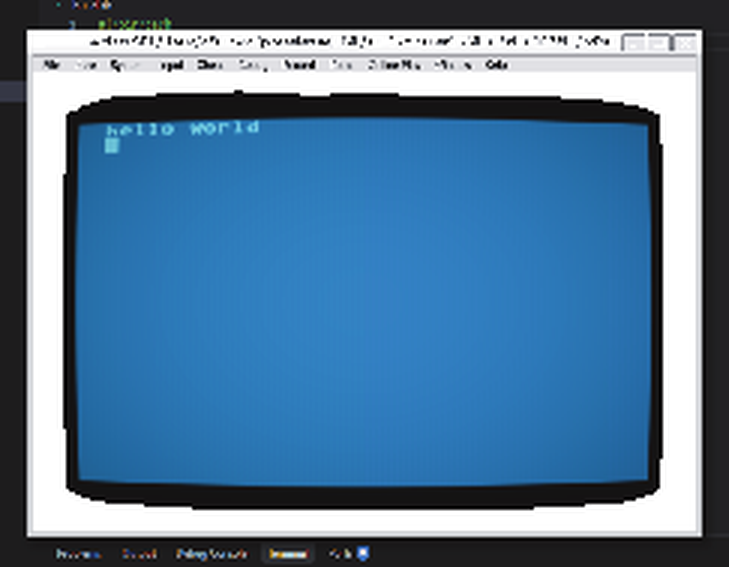
Setting up a cross-development workbench on a PC: the Mad-Pascal compiler, the MADS cross-assembler behind it, the Altirra emulator to run the result, and VS Code wired up so that Shift+Ctrl+B takes you from Pascal source to a running Atari program in one keystroke. Ends with hello world on a blue Atari screen.
Everything from the printed article, ready to compile. Checksums are printed so you can verify a file you got from somewhere else against ours.
hello.pas — the first program
Printed as Fig. 4.
Transcribed from the printed listing — not yet confirmed by the author.
hello.pas · 489 B · sha256 eb0ee37618b73693…
SHbuild.sh — build and run, Linux and macOS
Printed as Fig. 6. Adjust the four paths at the top.
Transcribed from the printed listing — not yet confirmed by the author.
build.sh · 780 B · sha256 b2c96399a6d6c516…
BATbuild.bat — build and run, Windows
Printed as Fig. 5. Adjust the four paths at the top.
Transcribed from the printed listing — not yet confirmed by the author.
build.bat · 791 B · sha256 fd924c5f8900d84c…
JSONtasks.json — the VS Code build task
Printed as Fig. 8. Goes in the .vscode/ folder of your project.
Transcribed from the printed listing — not yet confirmed by the author.
tasks.json · 474 B · sha256 ce9c957cd43067ed…
Two compilers and an emulator, none of which need installing in any particular place — the build script just has to know where you put them.
Download Mad-Pascal: https://github.com/tebe6502/Mad-Pascal/releasesDownload MADS: https://github.com/tebe6502/Mad-Assembler/releasesDownload Altirra (SDL on Linux/macOS, native build on Windows)Edit the four paths at the top of build.sh or build.batDrop tasks.json into .vscode/ and press Shift+Ctrl+BCompilation is a two-stage affair: Mad-Pascal translates the Pascal into MADS assembly source, and MADS assembles that into an Atari executable. That is why you need both tools, and why the build script checks the exit code between the two steps.
The same file you can download above — line numbers match the errata table below. Line numbers are not selected when you copy.
// ---------------------------------------------------------------------// hello.pas — Mad-Pascal, Chapter 1 of the Atari Legacy course// Wojciech "Bocianu" Bociański, Atari Legacy Issue 01, pp. 56-58//// Transcribed by the editorial team from the printed listing (Fig. 4).// Not yet checked against the author's original file.// ---------------------------------------------------------------------program hello;uses crt;begin Writeln('hello world'); Readkey;end.#!/bin/bash# ---------------------------------------------------------------------# build.sh — Mad-Pascal, Chapter 1 of the Atari Legacy course# Wojciech "Bocianu" Bocianski, Atari Legacy Issue 01 (Fig. 6)## Transcribed by the editorial team from the printed listing.# Adjust the four paths below to wherever you unpacked the tools.# ---------------------------------------------------------------------MP_BIN="/home/bocianu/Mad-Pascal/bin/linux_x86_64/mp"MADS_BIN="/home/bocianu/Mad-Assembler/bin/linux_x86_64/mads"MP_BASE="/home/bocianu/Mad-Pascal/base"ALTIRRA="/home/bocianu/altirra/altirra.AppImage"NAME="hello"$MP_BIN $NAME.pasif [ $? -eq 0 ]; then $MADS_BIN $NAME.a65 -x -i:$MP_BASE -o:$NAME.xexfiif [ $? -eq 0 ]; then $ALTIRRA --run $NAME.xexfi@rem --------------------------------------------------------------------@rem build.bat — Mad-Pascal, Chapter 1 of the Atari Legacy course@rem Wojciech "Bocianu" Bocianski, Atari Legacy Issue 01 (Fig. 5)@rem@rem Transcribed by the editorial team from the printed listing.@rem Adjust the four paths below to wherever you unpacked the tools.@rem --------------------------------------------------------------------@setlocal@SET MP_BIN=D:\atari\Mad-Pascal\bin\windows\mp.exe@SET MADS_BIN=D:\atari\Mad-Assembler\bin\windows_x86_64\mads.exe@SET MP_BASE=D:\atari\Mad-Pascal\base@SET ALTIRRA_BIN=D:\atari\Altirra\altirra64.exe@SET NAME=hello%MP_BIN% %NAME%.pas@if %ERRORLEVEL% == 0 %MADS_BIN% %NAME%.a65 -x -i:%MP_BASE% -o:%NAME%.xex@if %ERRORLEVEL% == 0 %ALTIRRA_BIN% %NAME%.xex{ // See https://go.microsoft.com/fwlink/?LinkId=733558 // for the documentation about the tasks.json format "version": "2.0.0", "tasks": [ { "label": "Mad-Pascal build", "type": "shell", "command": "./build.sh", "windows": { "command": "build.bat" }, "group": { "kind": "build", "isDefault": true } } ]}Paper cannot be patched. This is where a wrong line in the printed listing gets fixed — the downloadable file above is always the corrected one.
No corrections to the printed article so far. Found one? Write to biuro@l-tek.pl and it will appear here.
The listings from this chapter are republished here so that readers do not have to retype a printed page. The build scripts still carry the author's own directory paths as printed — change them to match your own installation. Copyright remains with Wojciech "Bocianu" Bociański.